

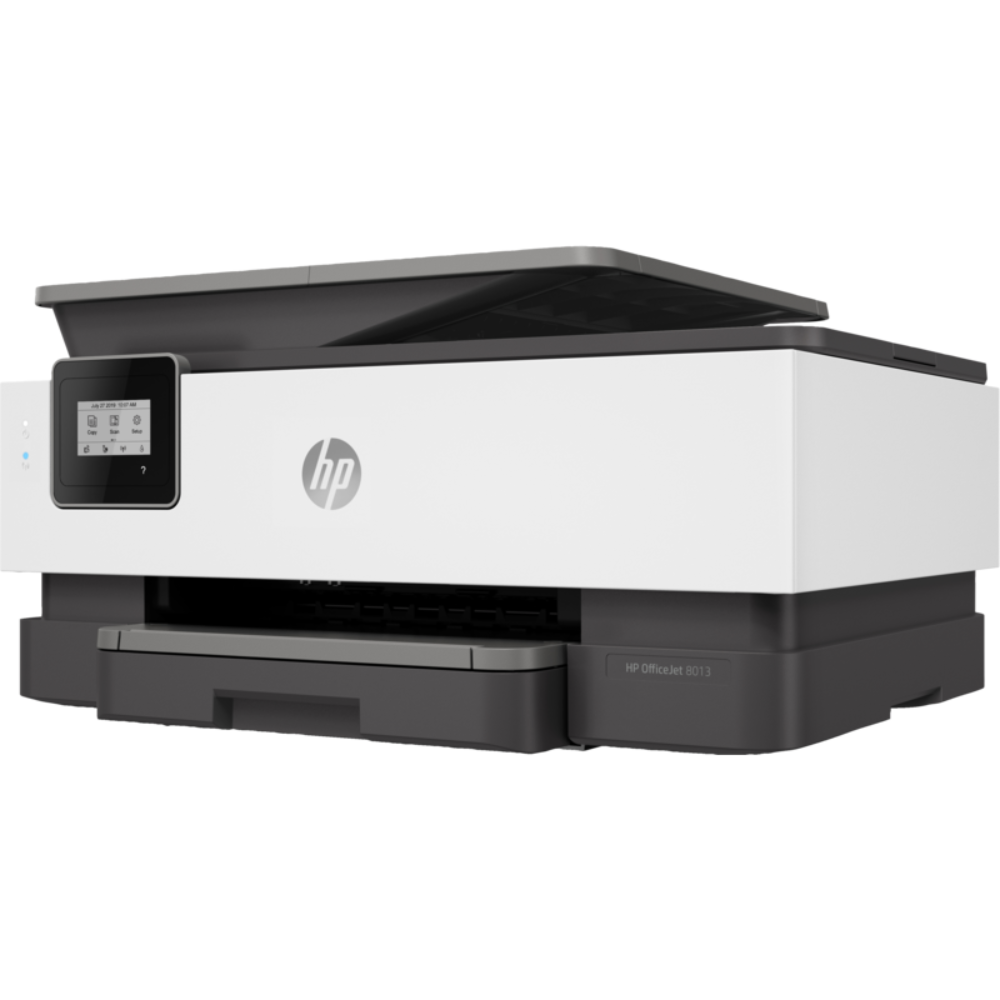



HP OfficeJet 8013 All-in-One Printer (1KR70B)
Original price was: ₦290,000.00.₦275,000.00Current price is: ₦275,000.00.
Duplex printing: Automatic (standard)
Duty cycle (monthly, letter): Up to 20,000 pagesUp to 20,000 pages 3 (Duty cycle is defined as the maximum number of pages per month of imaged output. This value provides a comparison of product robustness in relation to other HP Color InkJet devices.)
Duty cycle (monthly, A4): Up to 20,000 pages 3 (Duty cycle is defined as the maximum number of pages per month of imaged output. This value provides a comparison of product robustness in relation to other HP Color InkJet devices.)
Recommended monthly page volume: Up to 800 pages
Print quality black (best): 1200 x 1200 rendered dpi
Print quality color (best): Up to 4800 x 1200 optimised dpi on HP Advance Photo Paper 1200 x 1200 dpi input
Print languages: HP PCL3 GUI
Print technology: HP Thermal Inkjet
Connectivity, standard: 1 Wireless 802.11a/b/g/n
Mobile printing capability: Chrome OS; HP Smart app; Apple AirPrint™; Wi-Fi® Direct Printing; Mopria™ Certified 4
Network capabilities: Yes, Wireless 802.11a/b/g/n
Wireless capability: Yes, built-in Wi-Fi 802.11a/b/g/n
Minimum System Requirements for Macintosh: OS X v10.11 El Capitan; macOS Sierra v10.12 (previously OS X); macOS High Sierra v10.13; macOS Mojave v10.14; 1.5 GB available hard disk space; Internet access
Minimum System Requirements: Windows 10, 8.1, 8, 7: 1 GHz 32-bit (x86) or 64-bit (x64) processor, 2 GB available hard disk space, CD-ROM/DVD drive or Internet connection, USB port, Internet Explorer
Digital sending standard features: Scan to PC
Display 5.58 cm (2.2 in): Capacitive Touchscreen MGD
Processor speed: 1.2 GHz
Maximum Memory: 256 MB DDR3 SDRAM
Memory: 256 MB
Compatible Operating Systems: Windows 11; Windows 10; Windows 8; Windows 7; Windows Server; ChromeOS (Windows XP and Windows Vista not supported)
HP OfficeJet 8013 All-in-One Printer (1KR70B)
HP OfficeJet 8013 All-in-One Printer (1KR70B) Full Specifications
General Information
- Model: HP OfficeJet 8013
- Product Code: 1KR70B
- Product Type: All-in-One Inkjet Printer
- Functions: Print, Copy, Scan
- Control Panel: 2.2-inch monochrome touch LCD display
- Connectivity Options: Wi-Fi, USB 2.0, Ethernet, Bluetooth Smart
- Mobile Printing Compatibility: HP Smart App, Apple AirPrint, Google Cloud Print, Mopria-certified
- Supported Operating Systems:
- Windows 10, 8.1, 7 SP1
- macOS (Sierra and later)
Printing Specifications
- Print Technology: HP Thermal Inkjet
- Print Speed:
- Black: Up to 18 pages per minute (ppm)
- Color: Up to 10 pages per minute (ppm)
- First Page Out Time:
- Black: As fast as 13 seconds
- Color: As fast as 17 seconds
- Print Resolution:
- Black: Up to 1200 x 1200 rendered dpi
- Color: Up to 4800 x 1200 optimized dpi on HP Advanced Photo Paper
- Monthly Duty Cycle: Up to 20,000 pages
- Recommended Monthly Page Volume: 800–1,000 pages
- Duplex Printing: Automatic
Copy Specifications
- Copy Speed:
- Black: Up to 13 CPM (copies per minute)
- Color: Up to 7 CPM
- Copy Resolution:
- Black: Up to 600 x 600 dpi
- Color: Up to 600 x 600 dpi
- Maximum Copies per Job: Up to 50 copies
- Reduction/Enlargement: 25% to 400%
Scanning Specifications
- Scan Type: Flatbed and Automatic Document Feeder (ADF)
- Scan Resolution:
- Optical: Up to 1200 dpi
- Scan Size:
- ADF: Up to 8.5 x 14 inches (Legal)
- Flatbed: Up to 8.5 x 11.7 inches (Letter/A4)
- File Formats Supported: JPEG, TIFF, PNG, PDF, BMP
- ADF Capacity: 35 sheets
Paper Handling
- Input Tray:
- Capacity: 225 sheets
- Output Tray:
- Capacity: 60 sheets
- Supported Paper Sizes:
- Standard: A4, A5, A6, B5, DL envelopes, 10 x 15 cm
- Custom: 3 x 5 inches to 8.5 x 14 inches
- Paper Types Supported:
- Plain paper, HP Photo Papers, HP Matte Brochure or Professional Paper, HP Matte Presentation Paper, Glossy Brochure or Professional Paper
Cartridge and Ink System
- Ink Cartridge Types:
- Black: HP 912 Black Ink Cartridge
- Color: HP 912 Cyan, Magenta, Yellow Ink Cartridges
- High-Yield Cartridges: Available (HP 912XL for Black and Colors)
- Page Yield:
- Black: ~300 pages (Standard), ~825 pages (High-Yield)
- Color: ~315 pages per color cartridge (Standard), ~825 pages (High-Yield)
Connectivity
- Wi-Fi Support: Yes (Dual-band Wi-Fi)
- Ethernet: Yes (10/100 Base-TX)
- USB Port: USB 2.0 for local connections
- Wireless Direct Printing: Yes
- Mobile Printing Technologies:
- HP Smart App
- Apple AirPrint
- Google Cloud Print
- Mopria-certified
Dimensions and Weight
- Dimensions (W x D x H):
- 17.3 x 20.13 x 9.21 inches (439.3 x 511.3 x 234 mm)
- Weight: 18.04 lbs (8.18 kg)
Power and Environmental
- Power Supply: Internal power supply (100 to 240 VAC)
- Power Consumption:
- Printing: 20 watts
- Ready Mode: 5.8 watts
- Sleep Mode: 0.9 watts
- Operating Temperature: 41°F to 104°F (5°C to 40°C)
- Operating Humidity: 20% to 80% RH
Additional Features
- Security: Secure Boot, Firmware Integrity
- Energy Efficiency: ENERGY STAR certified
- Software Included: HP Printer Software, HP Update, HP Photo Creations
In conclusion, The HP OfficeJet 8013 All-in-One Printer delivers exceptional performance and versatility for home or small business users. With its robust features, such as automatic duplex printing, mobile printing support, and high-resolution scanning, it provides an all-in-one solution for all your document needs. Its compact design and reliable connectivity make it a must-have for efficient productivity.
Make the HP OfficeJet 8013 the centerpiece of your workspace today! Experience seamless printing, scanning, and copying. Order now to elevate your office efficiency!
CLICK HERE TO VIEW MORE RELATED PRODUCTS

MAECENAS IACULIS
Vestibulum curae torquent diam diam commodo parturient penatibus nunc dui adipiscing convallis bulum parturient suspendisse parturient a.Parturient in parturient scelerisque nibh lectus quam a natoque adipiscing a vestibulum hendrerit et pharetra fames nunc natoque dui.
ADIPISCING CONVALLIS BULUM
- Vestibulum penatibus nunc dui adipiscing convallis bulum parturient suspendisse.
- Abitur parturient praesent lectus quam a natoque adipiscing a vestibulum hendre.
- Diam parturient dictumst parturient scelerisque nibh lectus.
Scelerisque adipiscing bibendum sem vestibulum et in a a a purus lectus faucibus lobortis tincidunt purus lectus nisl class eros.Condimentum a et ullamcorper dictumst mus et tristique elementum nam inceptos hac parturient scelerisque vestibulum amet elit ut volutpat.




Reviews
There are no reviews yet.